
How we did it – Adding a flip book
You may have noticed we use flipbooks around the site, which we’re often asked about, specifically how we achieve the effect. It’s actually a plugin that we bought and added via the dashboard. It took a while to decide on the right one, so here we share how you can get the same result.
The image below is a screengrab, not an actual flipbook…
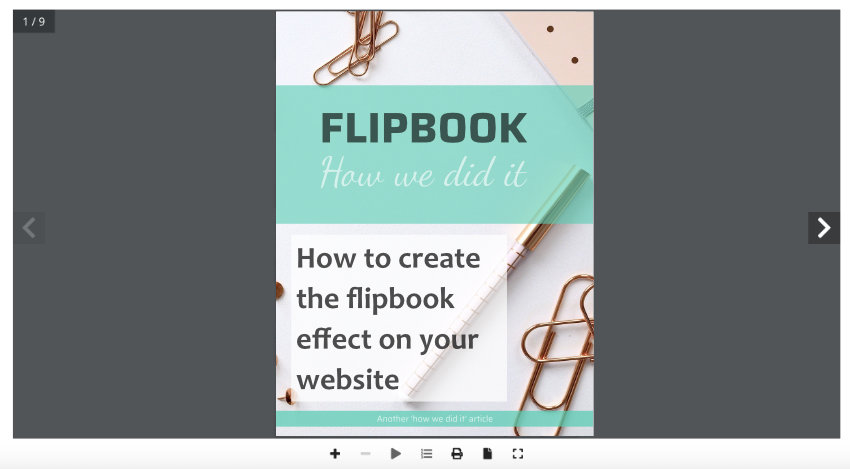
We chose to use “Real3dFlipbook” by creative Interactive Media. The Pro version is available to buy on CodeCanyon.
It’s straight forward to use, you create a pdf from your choice of software; for example a word document or even Canva, and upload the pdf to the flipbook plugin that’s found on your WordPress dashboard.
From there you’re given short-code for each book that you insert into the relevant post, or you can insert direct from the Real3D Flipbook icon at the point of creating your new post – in the same way you would add an image.
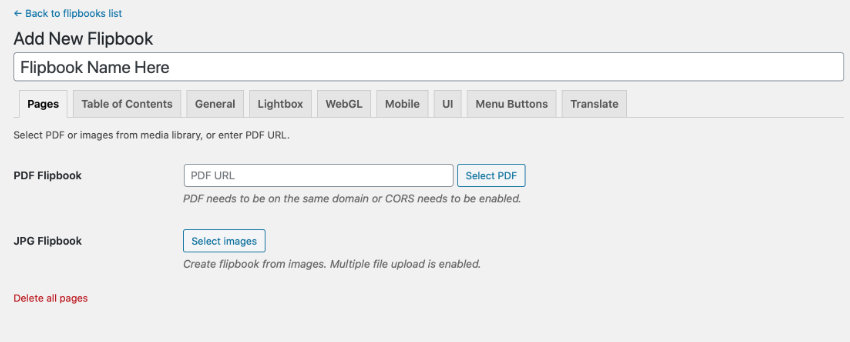
You edit how you want your flipbooks to look from the settings on your dashboard. Every flipbook will have the same settings. There is a set of icons below each flipbook giving the user a choice of actions, whether to download it as a pdf, to view it full screen, to start it as a slide show, etc. This is all editable in ‘menu buttons’ in settings.

Honestly, the settings aren’t perfectly clear. You do wonder what they all do, because there’s lots of variations but playing around with it for a while and you’ll figure out how to get they way you want it.
Free Version
Free version available to download from your dashboard/plugins/add new and search for real 3d flipbook – more information here: https://wordpress.org/plugins/real3d-flipbook-lite/
Note, we haven’t tested this, we went straight to the pro version. But it’s good idea to test the free one out to see if it’s what you want.
Pro Version
This is what we bought, it cost $39 and comes with 6 months support, but it’s not a difficult plugin to use, once it’s set up you’re good to go. There’s also a lot of questions from other buyers on the link below so finding answers is easy. We’ve needed support just once and had a reply with the solution within just a couple of hours.
https://codecanyon.net/item/real3d-flipbook-wordpress-plugin/6942587/comments
Plugin documentation
You can learn how to use the flipbook here: http://creativeinteractivemedia.com/real3dflipbook/documentation
There you go, that’s how we did it. Feel free to share your experience with flip books and if you’ve found another that you like, we’d love to hear about it.
Enjoy!